
Measure once. No second trip.
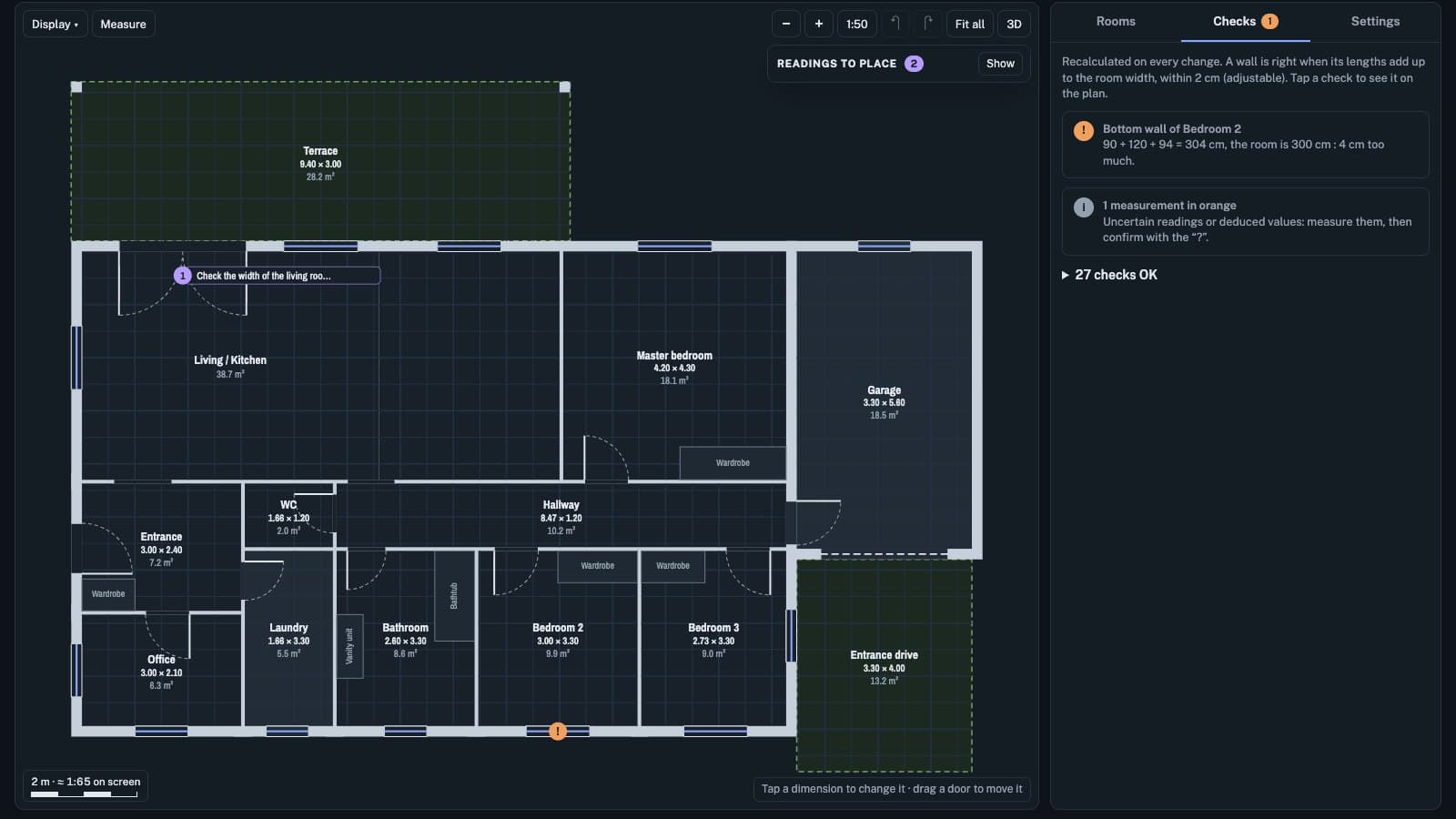
You enter the measurements room by room. Aplomb draws the plan to scale and checks that everything holds together, before you leave the site. Whatever is missing or does not add up gets flagged.
Free · no account · your measurements stay in your browser
A wrong dimension gets paid for on site.
A worktop cut again, a door remade, a second trip. The error rarely comes from the tape measure: it comes from a dimension written down wrong, or never taken. Aplomb finds it while you are still there.
Every wall adds up
The pieces of a wall (wall sections, doors, windows) must add up to the room's width, within the tolerance you choose.
Façades match the rooms
Measurements taken outside, corner to corner, are compared with the rooms plus the wall thickness.
Rooms line up
Alignments between rooms are checked: a gap shows up on the plan right away.
What is left to measure
Deduced or doubtful values stay marked until you measure them.
Three steps, on site.
- 01
Enter the measurements
Room by room: width, depth, then each wall in pieces (wall section, door, window). Measurements taken outside go on the façades.
- 02
Fix what is flagged
The plan draws itself to scale as you type. The checks are recalculated with every measurement and point to the exact spot that does not add up.
- 03
Leave with a plan that holds
SVG export at 1:50, and a furnished 3D model with several layouts to picture the space.
Try it on a demo house.
A fictional house, already filled in. Change a measurement and watch the checks react. No account, nothing to install.
Aplomb Pro: the document you hand to the client.
Measuring and checking stay free. The Pro version will turn your survey into professional documents.
PDF with your logo
The dimensioned plan, with your logo and contact details, ready to send.
DXF export
To bring the survey into your CAD or design software.
3D to show the client
The furnished model and its layouts, to get a project approved.
Import from a photo of a dimensioned plan
In the worksYou take a photo of an annotated paper plan. Aplomb suggests the rooms and dimensions it reads, and the checks flag what needs a second look. It is a prototype: no date yet.
Get notified.
One email when the Pro version or photo import is ready. Nothing else.
Frequently asked questions
Is it free?+
Yes, to measure and check. The Pro version will be paid, to produce professional documents. Its price is not set yet.
Where do my measurements go?+
Nowhere. They stay in your browser, on your device. Nothing reaches me.
Does the plan have any official value?+
No. The plan is indicative: it is not an architect's plan, nor a floor-area measurement under the French Carrez or Boutin laws. For a sale or a rental, use a professional surveyor.
What happens to my email?+
It is only used to tell you about the launch. It is stored on my server in Germany (Hetzner), kept at most 12 months after the launch, and deleted sooner on request to contact@andygarcia.pro.
The easiest way is to try it.